MTC Audio Player – Hi-Fi & Bit-Perfect Music Player for Windows
A downloadable tool for Windows
MTC Audio Player is a premium offline Hi-Fi music player for Windows, built for listeners who want clean playback, precise audio control and transparent information about the real audio path.
🎧 THREE PLAYBACK MODES
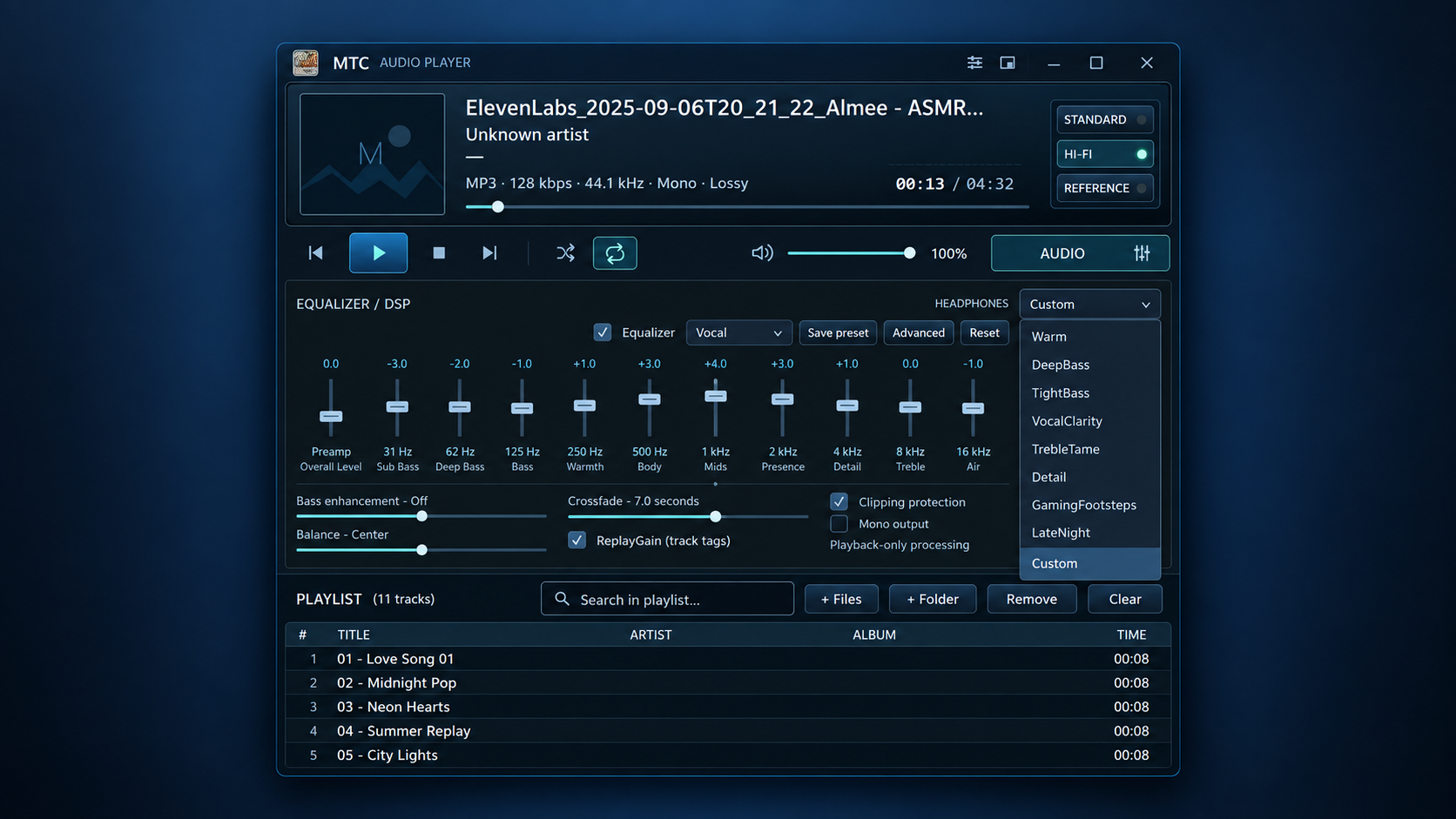
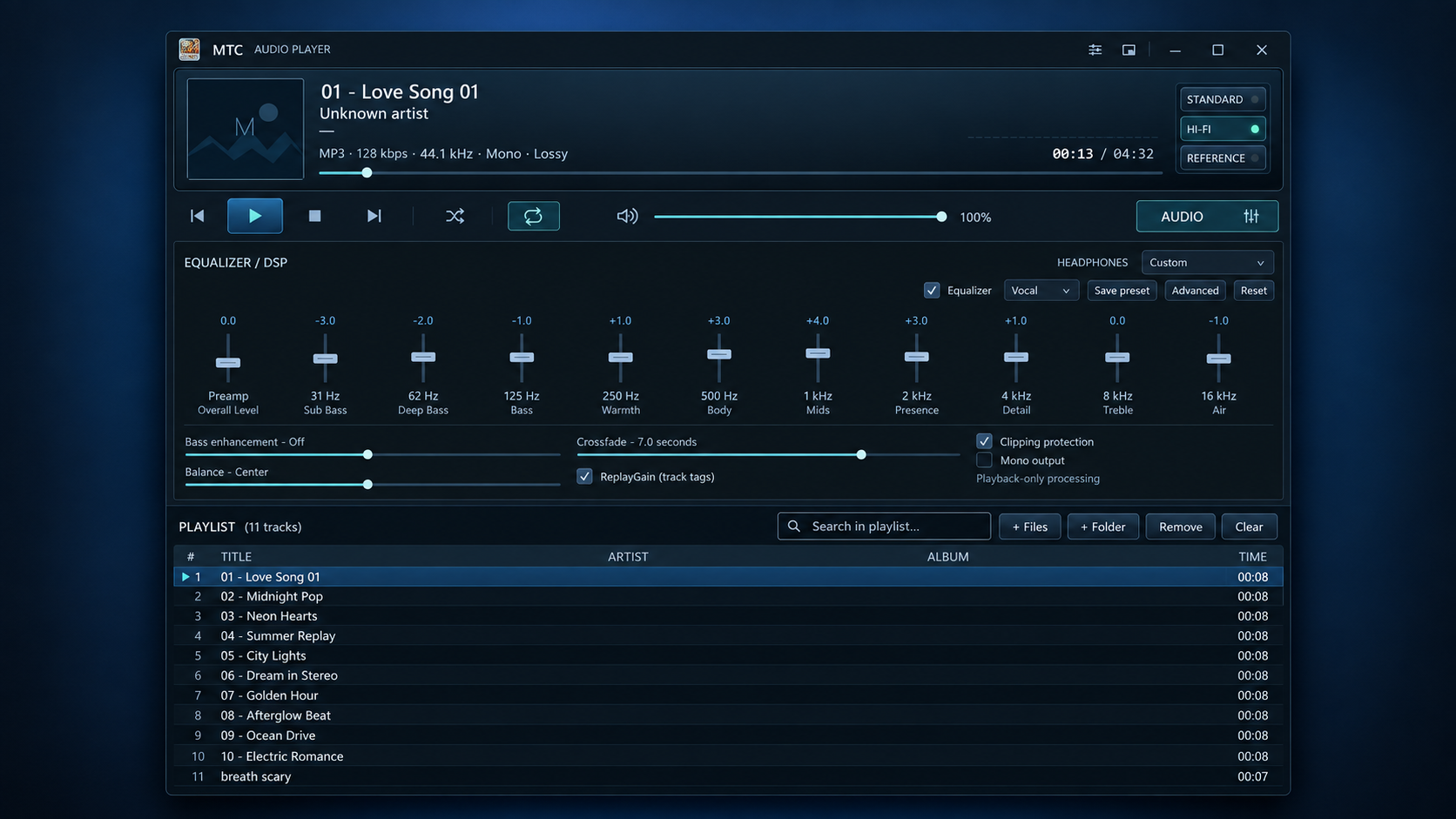
• STANDARD — reliable everyday playback using the normal Windows audio path • HI-FI — WASAPI Exclusive playback for direct exclusive access to your audio device • REFERENCE — strict bit-perfect verification mode designed for the cleanest possible playback path
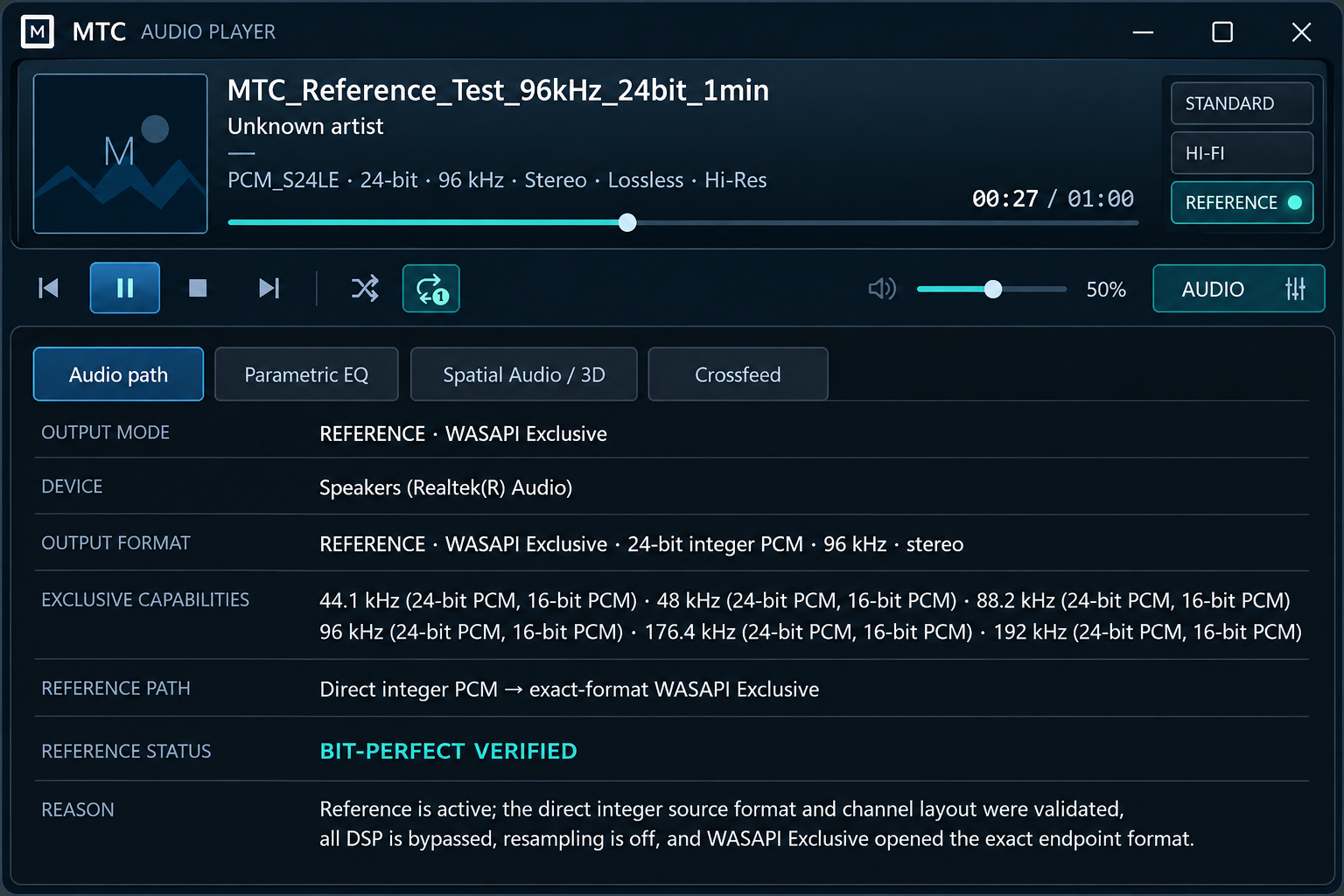
✅ BIT-PERFECT REFERENCE MODE
Reference mode automatically creates a clean playback path by bypassing DSP and disabling resampling.
When all required conditions are satisfied, MTC Audio Player reports:
BIT-PERFECT VERIFIED
Verification includes:
• Exact source sample rate • Exact bit depth • Exact channel layout • WASAPI Exclusive output • DSP bypassed • Resampling OFF • Exact output-format validation
If the source, audio device or playback path cannot satisfy the exact requirements, MTC Audio Player does not falsely claim bit-perfect playback. Instead it reports:
BIT-PERFECT NOT AVAILABLE
together with the reason.
🔍 AUDIO PATH INSPECTOR
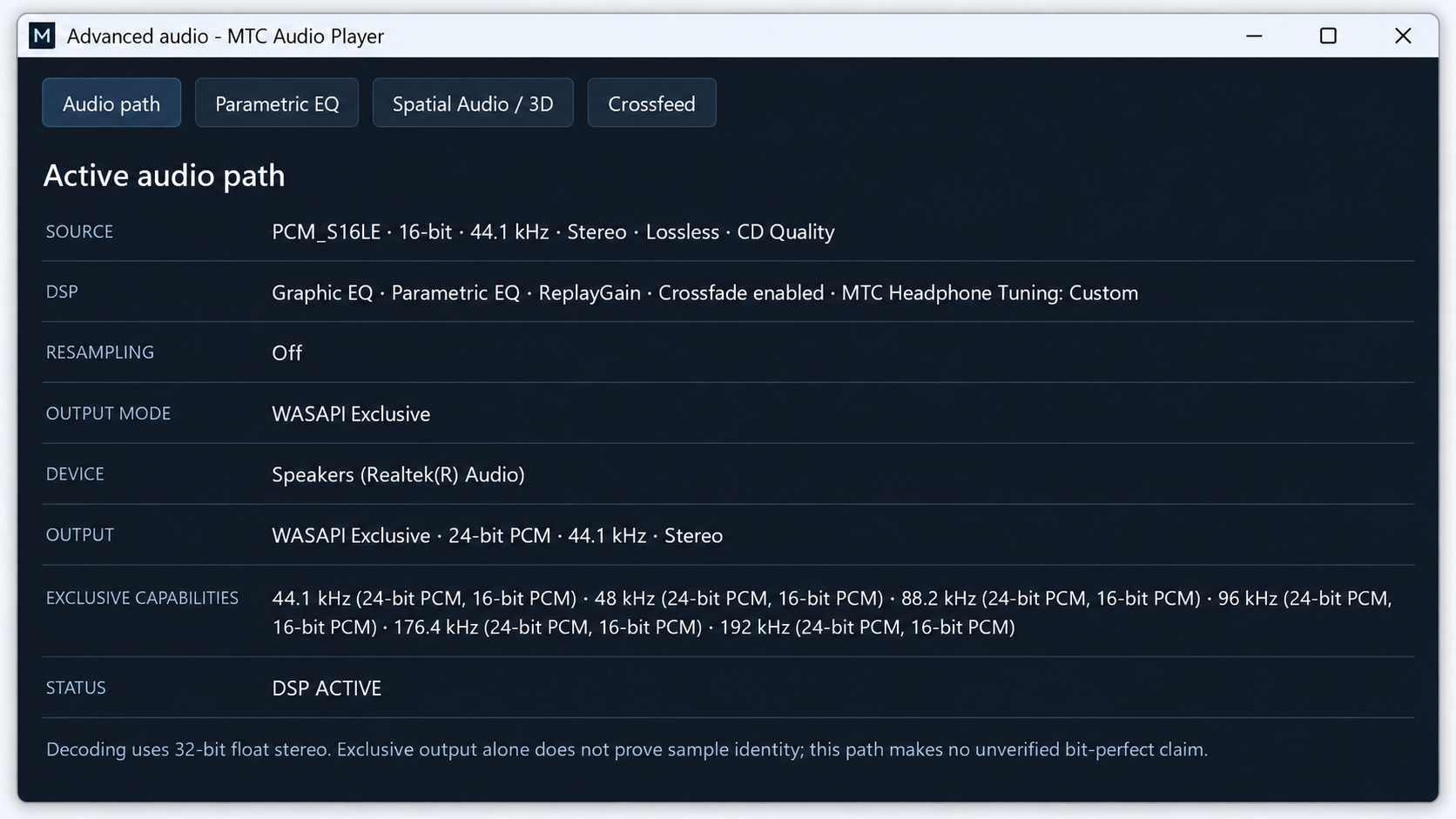
See exactly what is happening between your music file and Windows audio output:
• Source format • Sample rate • Bit depth • Channel configuration • DSP status • Resampling status • Output mode • Output device • Exact output format • Reference verification status
🎚️ ADVANCED AUDIO TOOLS
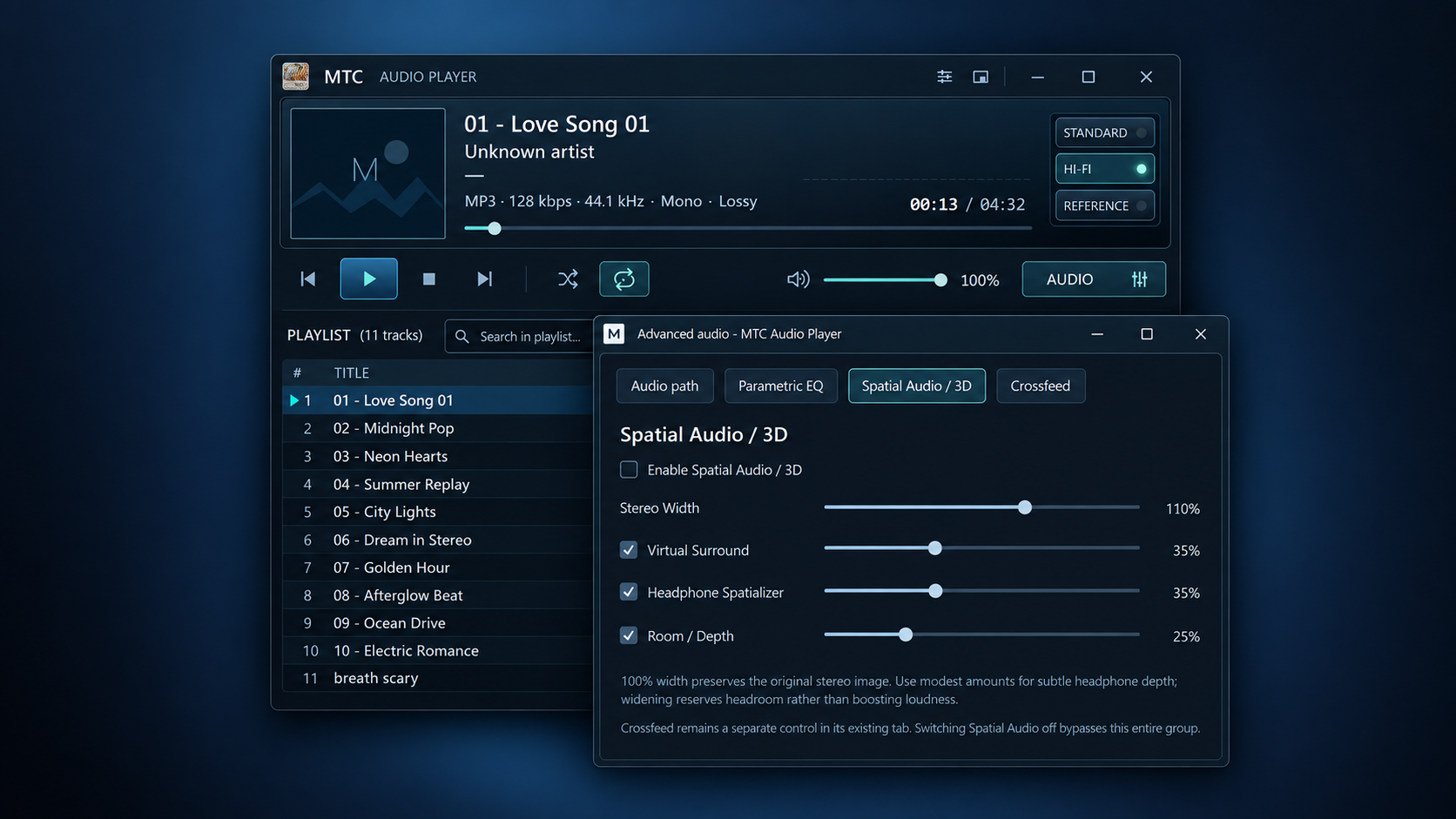
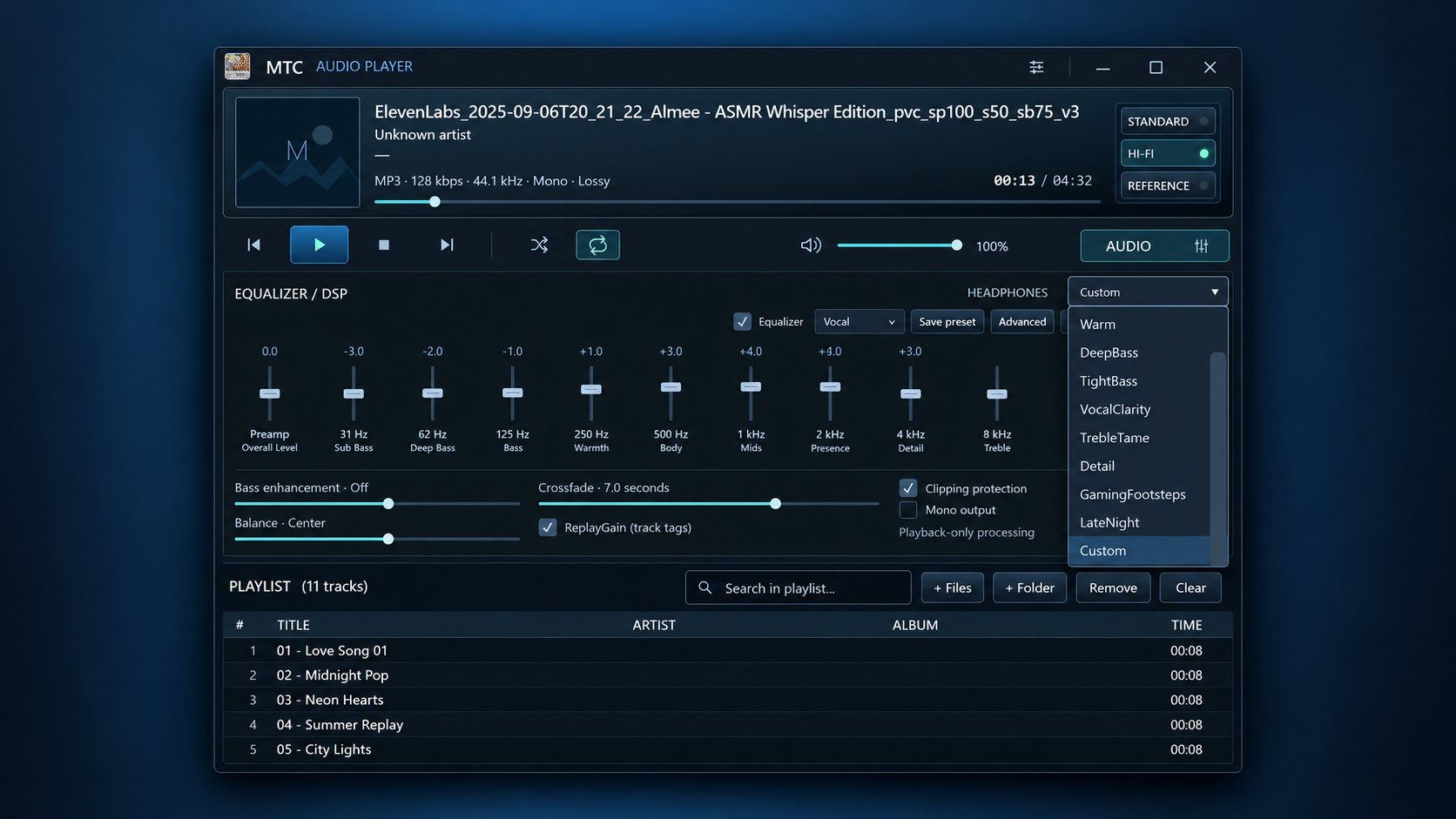
• 10-band Graphic EQ + Preamp • Parametric EQ with Frequency, Gain and Q controls • Bass enhancement • ReplayGain • Stereo Width • Virtual Surround • Headphone Spatializer • Room / Depth processing • Crossfeed • Headphone tuning presets • Balance control • Crossfade • Clipping protection
Advanced DSP is available when you want to customise the sound. In Reference mode, processing that would alter the samples is automatically bypassed so the verified audio path remains clean.
🎵 AUDIO FORMAT SUPPORT
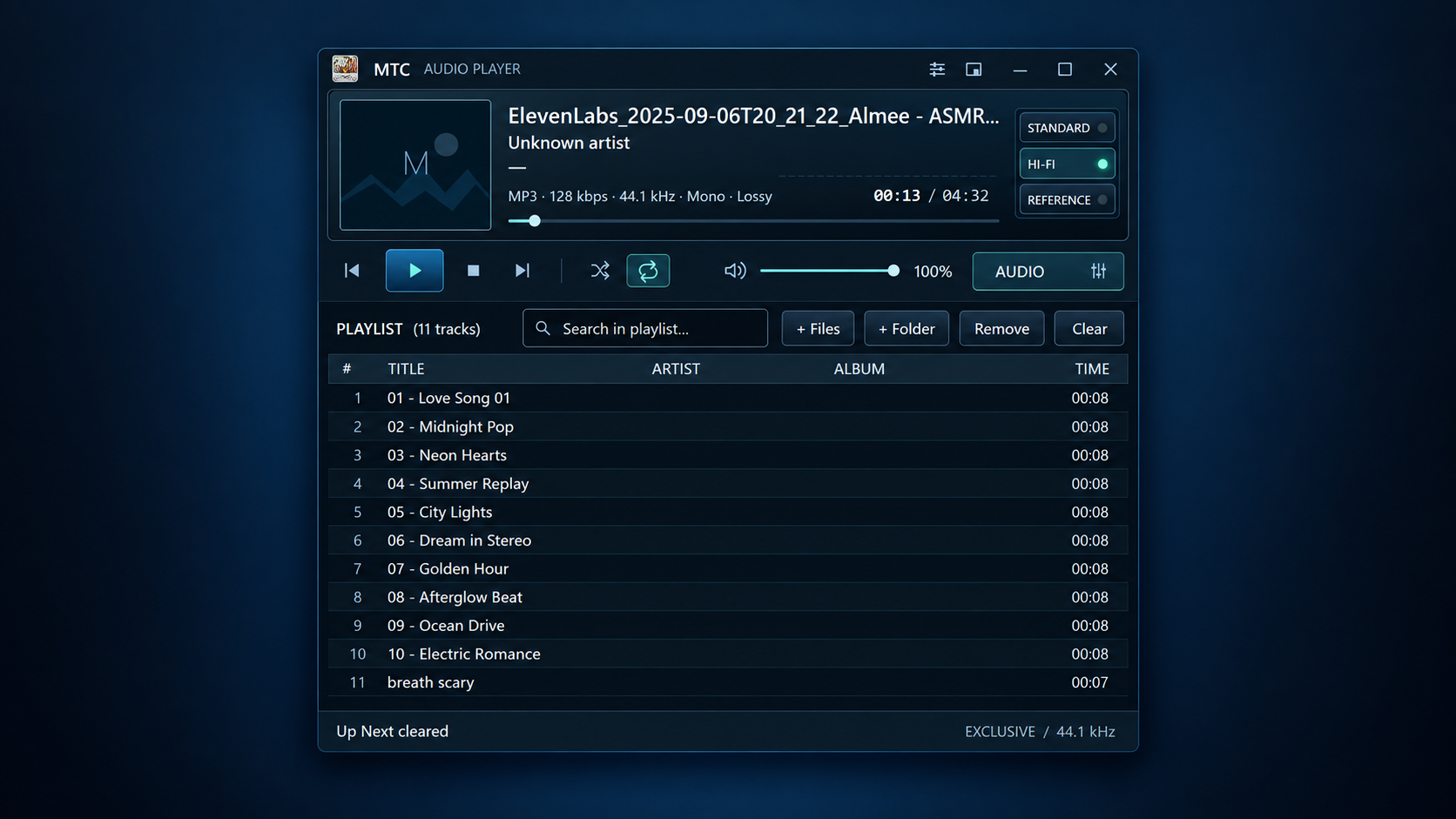
• FLAC • WAV • MP3 • AAC • ALAC • Opus
⚡ BUILT FOR WINDOWS AUDIO
• WASAPI Shared for everyday playback • WASAPI Exclusive for direct exclusive output • Automatic sample-rate handling • SOURCE vs OUTPUT format reporting • High-resolution audio support according to your hardware capabilities • Audio-device capability inspection • Exact-format validation in Reference mode
📂 SIMPLE MUSIC MANAGEMENT
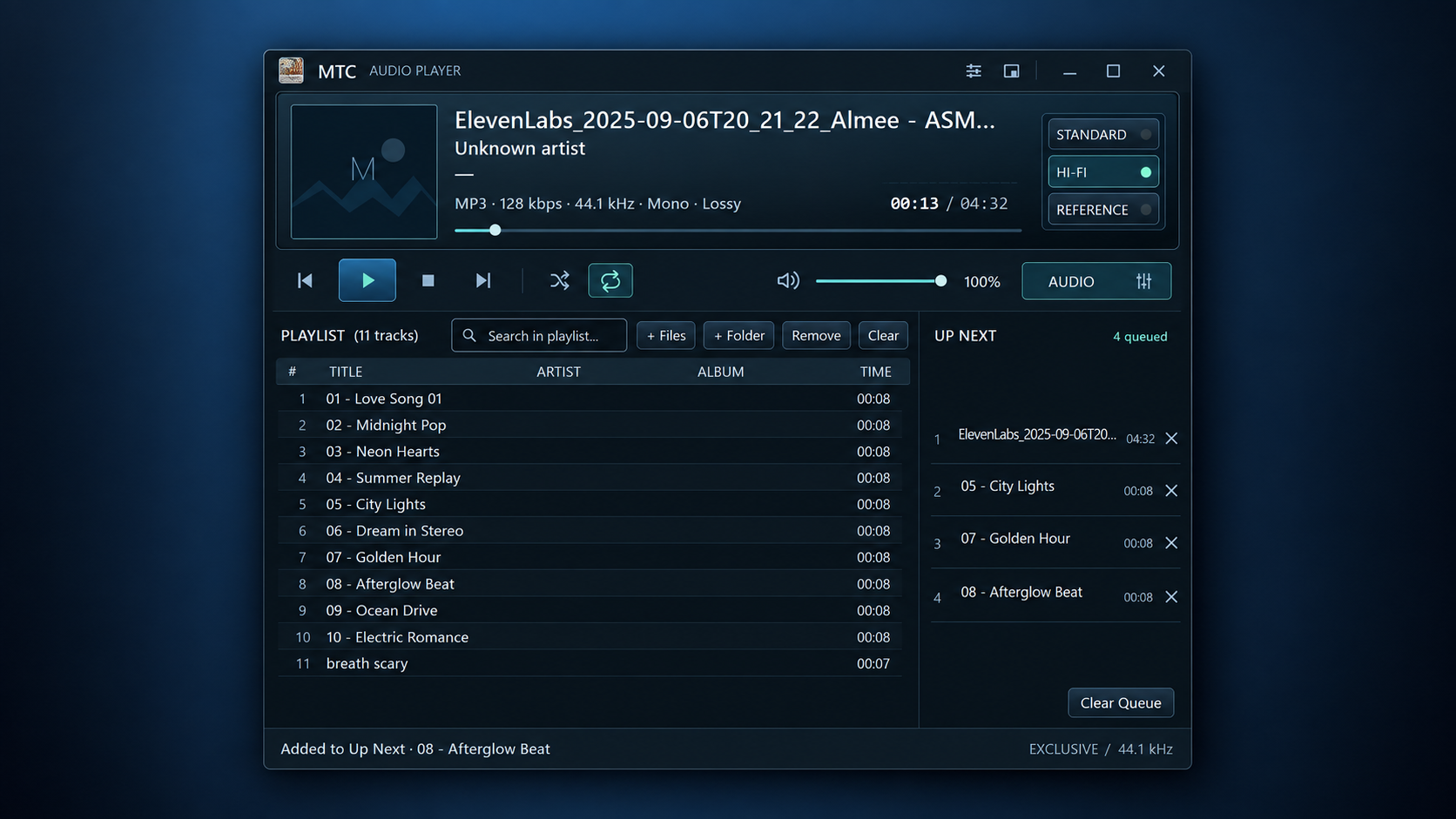
• Queue / Up Next • Playlist playback • Local music files • Playlist search • No account required • No telemetry • No cloud dependency • Fully offline playback
📦 TWO VERSIONS INCLUDED
• Installer — recommended for normal use • Portable OneFile — run without installation
MTC Audio Player keeps everyday playback simple while giving advanced listeners detailed control and visibility over the Windows audio path.
Windows 10 / 11 64-bit Version 1.0.1
One-time purchase. No subscription.
Purchase
In order to download this tool you must purchase it at or above the minimum price of $1.99 USD. You will get access to the following files:
Leave a comment
Log in with itch.io to leave a comment.